
Brother Artspira
Brother Industries, Ltd.Art & Design
4.2322.00 Reviews
- Version
- 2.8.20
- Installs
- 500.00K
- Age Rating
- Everyone
Screenshots

Our Review of Brother Artspira
 Analysis by Appyee
I’d approach Brother Artspira less as a general-purpose drawing studio and more as a creative companion for people who want digital ideas to lead toward hands-on craft projects. That distinction matters: if you expect a full-featured illustration workspace, it may not be the tool you reach for first. If you already enjoy sewing, embroidery, or making things and use Brother products, the connection between planning a design and turning it into something physical is the more interesting reason to explore it.
Where people can get stuck
The first hurdle is knowing what kind of creative app you are opening. Artspira sits in the art and design space, but its appeal is not simply that it offers a place to draw. Its store summary points toward creativity and projects for Brother customers, and that customer focus shapes the experience. I would start by asking what I want to make and whether my goal is a screen-only image or a design that may become part of a sewing or embroidery project.
That distinction also helps set expectations about the app’s audience. A casual creator can still browse and experiment, but someone looking for a completely independent drawing app may find the Brother-centered workflow less compelling. Conversely, a person who already works with Brother equipment has a clearer reason to keep Artspira alongside their other creative tools. It is free to download, though in-app purchases range from $0.79 to $119.99 per item, so I would check the cost of anything I plan to use before building a project around it.
Simple checks before a project
Before I begin, I would confirm that the app is compatible with my device and that I have a clear idea of the next step after designing. Artspira is available for Android and iOS, and its minimum Android requirement is version 8.0. The current release is version 2.7.6. Those details are useful when deciding whether an older phone or tablet is a sensible place to work, especially if I expect to handle a more involved design.
I would also separate the creative task into two parts: making or preparing the design in the app, then deciding how I want to use it. That small bit of planning prevents a common frustration with craft software: spending time polishing something on screen before checking whether it suits the physical project I have in mind. For a fabric design, I would think about its shape and intended placement early rather than treating those as last-minute details.
Recovering a stalled workflow
If a project feels confusing, I would avoid changing several things at once. I’d return to the last step I understood, check that I am working with the right design, and then continue in smaller stages. The app includes tutorials and tips, which are a better first stop than guessing at unfamiliar tools. This is especially helpful when a digital design is meant to support sewing or embroidery, since the goal is not only to make something look pleasing on screen but to prepare it for a practical use.
For a project that seems slow or awkward, I would try a simpler design first and see whether the problem is the size or complexity of the work, the device, or my familiarity with the controls. I would also keep an original version before experimenting with changes, so I can return to the starting point if a revision takes the design in the wrong direction. These are basic habits, but they make creative apps less stressful when a project has several stages.
When the app may not be the problem
A design that does not translate neatly from screen to fabric is not automatically an app failure. Digital art and physical craft have different constraints, and a result that looks balanced on a display may need simplifying or repositioning before it becomes a useful pattern. I would treat the on-screen version as a plan to test, not a promise that every detail will work unchanged in the finished piece.
Device performance can also affect how pleasant a session feels. The app may run more smoothly on newer devices, while an older model can feel less responsive with more complex designs. If the interface seems sluggish, I would try a lighter project and make sure the device is not struggling with several tasks at once before deciding that the whole workflow is unsuitable.
Getting Started with Brother Artspira
First things first, downloading and setting up Brother Artspira is a breeze. Available on both Android and iOS, you can find it with a quick search in your app store. Once installed, the app greets you with a clean and intuitive interface. You don’t need a manual to figure this one out, which is a huge plus if you’re like me and prefer jumping right in.
Exploring the Features
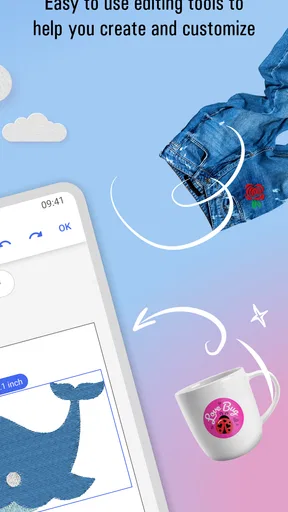
One of the standout features of Brother Artspira is its vast array of creative tools. Whether you're into sketching, painting, or digital design, this app has something for you. The brush selection is impressive, offering a variety of textures and sizes that allow for precision and creativity. And if you’re worried about navigating the app, fear not! Everything is laid out in a user-friendly manner.
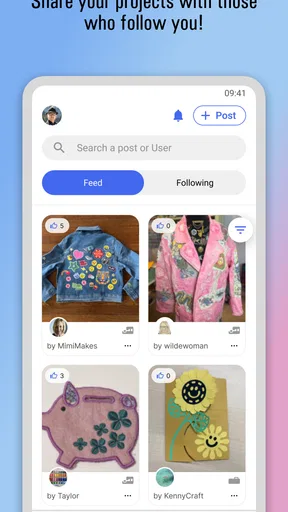
What caught my eye was the ability to import and export designs seamlessly. You can easily bring in your existing projects and enhance them using Artspira’s tools. Plus, sharing your masterpieces with the world is just a tap away. The integration with social media platforms makes it super easy to showcase your work and get feedback from fellow artists.
Why It Stands Out
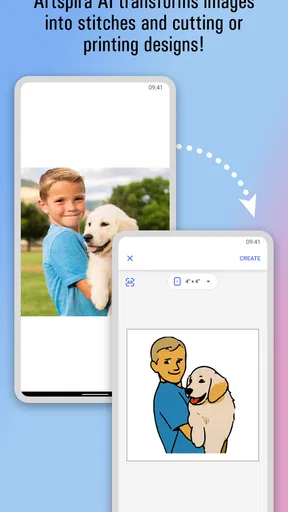
For those who are into embroidery or sewing, Brother Artspira is a game-changer. It’s not just about creating art; you can also design patterns that can be transferred directly to Brother sewing machines. This feature bridges the gap between digital art and tangible creations, which is something I found incredibly fascinating. Imagine sketching a design on your iPad and then seeing it come to life on fabric! It’s like magic.
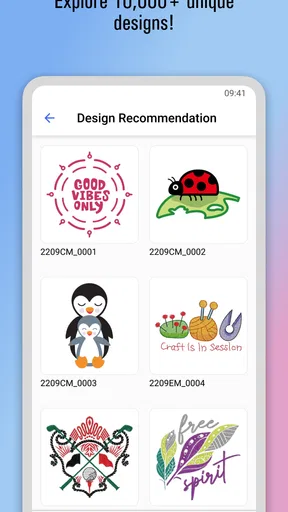
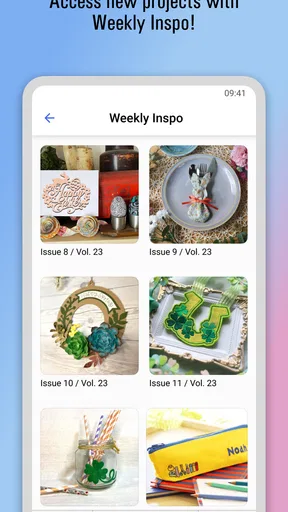
Another highlight is the community aspect. Within the app, you can connect with other artists, share tips, and even collaborate on projects. It’s a vibrant community that inspires you to push your creative boundaries. If you’re ever in need of inspiration or just want to see what others are up to, the community gallery is a treasure trove of ideas.
A Few Things to Consider
While Brother Artspira is packed with features, it’s worth noting that some advanced tools might require a bit of a learning curve. If you’re new to digital art, take your time exploring each feature. The app does offer tutorials and tips, so you’re not left in the dark.
Also, depending on your device, the performance might vary. On newer devices, the app runs smoothly, but older models might experience some lag, especially when handling complex designs. So, if you’re planning to dive deep into intricate projects, make sure your device is up to the task.
Choosing it over a general drawing app
Compared with the usual alternatives in art and design, the key trade-off is focus. A broad drawing app is often the better pick when I want to spend a session making polished digital illustrations, using a large set of specialist tools, or keeping a project entirely on screen. Artspira makes more sense when I want the design to be part of a craft process, especially one connected to Brother sewing or embroidery equipment. I would not replace a preferred illustration app just because Artspira is available; I would use each for the job it handles best.
That makes it useful as a companion rather than an all-purpose creative replacement. For example, I might use a familiar drawing tool to develop a complex image, then use Artspira when I want to explore a Brother-oriented craft workflow. The practical question is not which app has the longest tool list, but whether the one I choose supports the next step I actually plan to take.
A realistic way to use it
Picture a quiet evening when I want to make a small personalized fabric item rather than start a large project. I could use the app to sketch and refine a simple motif, keep the design uncomplicated, and think about how it will sit on the finished piece. If I have a Brother sewing machine that fits the workflow, I can then explore transferring the pattern as part of that process. Starting small lets me learn the controls and judge the physical result before investing time in a more detailed design.
For a busy day, I would use short sessions deliberately: gather ideas or make a rough draft when I have a few spare minutes, then return later to prepare the version I want to use. That is more realistic than expecting a phone or tablet session to replace the whole craft process. It also gives me a chance to check the design with fresh eyes before moving from digital planning to fabric.
Who will get the most from it
I would recommend trying it if you enjoy making things, want a digital starting point for sewing or embroidery, or already use Brother products and want a creative route into projects. It is also approachable for someone who is curious but not yet confident with digital design, since the interface is described as easy to pick up and the app offers tutorials and tips. Its audience is broad enough to include beginners, but its strongest identity is tied to making rather than to drawing alone.
I would skip it, or keep it as a secondary tool, if I mainly need advanced illustration controls, a device-independent production workflow, or a workspace built around a different brand of craft equipment. I would also be cautious about starting a large project before checking which paid items I actually need. Free installation makes it easy to sample, but the range of in-app purchase prices means I would make a deliberate choice instead of assuming every creative resource is included.
What I would check before committing
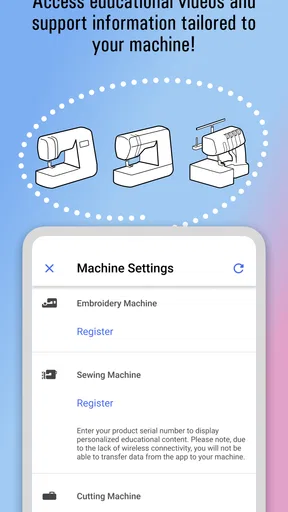
People often want to know whether they need a Brother machine to enjoy the app. The strongest reason to use it is the sewing and embroidery connection, but someone without that equipment can still explore its creative side; I would simply judge its value by the design tools and projects I personally use, not by the promise of a machine workflow I do not have. If a particular project depends on a Brother device, I would check that the exact equipment and process suit my setup before spending time preparing it.
Another sensible question is whether it is suitable for younger creators. The app has an Everyone content rating, but I would still guide a child through any purchases and help them distinguish between a screen design and a craft project that requires adult supervision or equipment. For anyone concerned about age suitability, the rating is a useful starting point rather than a substitute for household rules.
Artspira has an average rating of 4.1 from around 3.2 thousand ratings, with roughly 280 written reviews and over 100 thousand installs. I see that as a sign that it has found an audience, not as proof that it will fit every creative routine. Brother Industries, Ltd. develops the app, and that company connection is central to its appeal: the closer your interests are to Brother’s craft ecosystem, the more naturally its purpose comes through.
Final Thoughts
Overall, Brother Artspira is a fantastic tool for both budding artists and seasoned professionals. Its blend of creativity, community, and functionality makes it a must-have app for anyone looking to explore digital art or enhance their sewing projects. Whether you're sketching on the subway or designing at home, this app is a reliable companion on your artistic journey.
If you’re ready to take your art to the next level, give Brother Artspira a try. Who knows? You might just discover a new passion or refine an existing one. Happy creating!
My practical verdict is more specific: I would try it when I have a craft project in mind, especially if Brother equipment is already part of my routine, and I would begin with a modest design before committing to a complicated one. The app is free to install, rated for Everyone, and available in a current version that supports Android 8.0 or later as well as iOS. Its value depends less on being a universal art studio and more on whether its mix of design, project inspiration, and Brother-focused making matches what I want to create.
Verdict
Strengths of Brother Artspira
- Intuitive design for easy navigation.
- Wide range of creative tools available.
- Seamless integration with Brother devices.
- Regular updates with new features.
- User-friendly tutorials for beginners.
Limitations of Brother Artspira
- Limited offline functionality.
- Occasional app crashes reported.
- Requires account creation to use.
- Some features locked behind paywall.
- In-app ads can be intrusive.
Similar Picks in This Category
View All
Canva: AI Photo & Video Editor
Canva4.8

PENUP – Drawing-sharing SNS
Samsung Electronics Co., Ltd.4.5

Crafto
Kutumb App4.6

Sketchbook
Sketchbook4.1

ibis Paint X
ibis inc.4.5

Adobe Express: AI Photo, Video
Adobe4.6
Frequently Asked Questions
What is Brother Artspira and what can it do?
Brother Artspira is a creative design app that connects with Brother sewing and embroidery machines. It allows users to access and create a wide range of designs directly from their mobile devices. You can customize projects with a variety of tools, making it perfect for crafting enthusiasts who want to personalize their creations.
Is Brother Artspira compatible with all Brother machines?
Brother Artspira is compatible with a specific range of Brother sewing and embroidery machines. Before downloading, it’s essential to check the app’s compatibility with your particular model. Compatibility information is usually available on the Brother website or within the app’s description on the app store.
Does Brother Artspira require an internet connection?
While some features of Brother Artspira can be used offline, many functionalities such as accessing the design library, downloading new patterns, or syncing with your machine require an internet connection. For the best experience, it’s recommended to have a stable internet connection while using the app.
Are there any costs associated with using Brother Artspira?
Brother Artspira may offer both free and paid features. While downloading the app is free, certain design packs or advanced features might require in-app purchases. Users should review the app’s pricing details on the app store to understand any potential costs involved before downloading.
Can I create my own designs in Brother Artspira?
Yes, Brother Artspira provides tools for users to create and customize their own designs. The app offers a variety of drawing tools, patterns, and editing features that allow for personal creativity. Users can experiment with different styles and save their unique designs for future projects.
